-
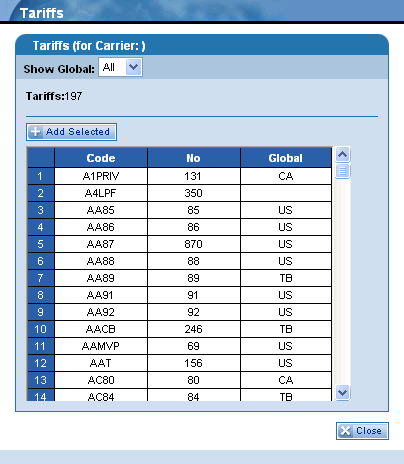
Click the Show Global field to display the drop-down list and make a selection from the available options. Specific tariffs will display in the list depending on your log on ID. All is the default option for this field.
-
The Tariffs field displays the number of results for the selected search criteria.
-
Click a row in the table (highlighting it yellow) and then click the  button. Your selection is then entered into the Tariff field on the screen you were using before opening this dialog box.
-
Once you have selected and added a tariff code, the dialog box closes automatically. However, if you decide not to make a selection from this dialog box, you can click the  button to exit this feature.